Sports League Schedule Template: Copyable Fields and Examples
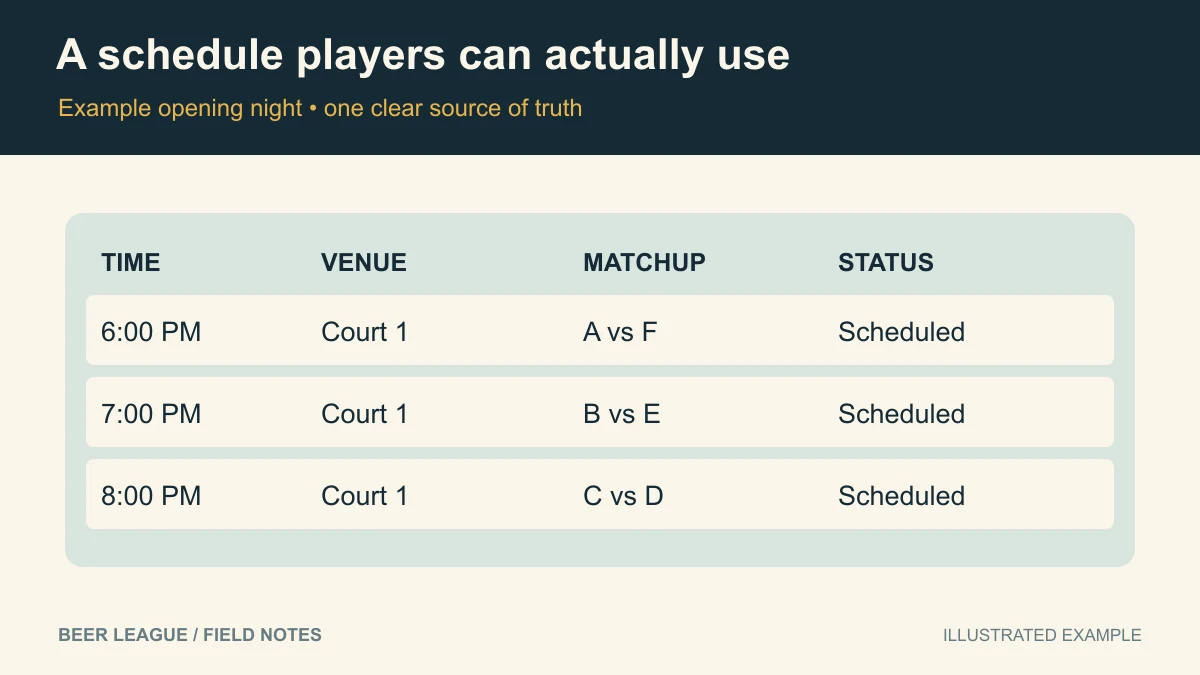
Hero diagram: An example opening night lists times, venue, matchups and status. View full-size image.
A useful league schedule tells a player who they face, when to arrive, and exactly where to go. Copy the template below into your own document or spreadsheet, fill in the matchups, and keep one shared version current throughout the season.
Updated September 18, 2026 with a copyable template and a complete example night.
Copy this season header
League: [name]
Season: [name and year]
Timezone: [for example, America/Chicago]
Game length: [minutes]
Turnaround between games: [minutes]
Schedule last updated: [date and time]
Schedule owner: [organizer contact]
Cancellation updates: [where players should check]
Makeup dates: [reserved dates or policy]
Playoffs: [dates and format, or no playoffs]
Use full dates with a year. A screenshot saying “Tuesday at 7” becomes confusing as soon as someone forwards it next month. Put the timezone in the header even if everyone normally plays in the same city.
Copy this game record for every fixture
Game ID: [stable label, such as W01-G01]
Round: [number]
Date: [YYYY-MM-DD]
Start: [time and timezone]
End: [time]
Venue: [name and address]
Court / field / rink: [specific surface]
Home team: [name]
Away team: [name]
Status: [scheduled / postponed / canceled / completed]
Notes: [arrival instructions or replacement-date notice]
A stable game ID helps when you move a fixture: W01-G01 stays W01-G01 even if it is eventually played in week four. Update the original record instead of leaving two apparently active versions.
Example: the first night of a six-team league
This is a fictional one-court league with 50-minute games and 10-minute turnarounds. All three fixtures use Riverside Community Center, Court 1, on October 6, 2026, in America/Chicago.
| Game ID | Time | Matchup | Status |
|---|---|---|---|
| W01-G01 | 6:00–6:50 p.m. | A vs F | Scheduled |
| W01-G02 | 7:00–7:50 p.m. | B vs E | Scheduled |
| W01-G03 | 8:00–8:50 p.m. | C vs D | Scheduled |
Each team plays once. The court is never double-booked. The final game ends before a hypothetical 9 p.m. rental cutoff. If your sport needs more warmup or turnover time, change the assumptions before you reserve the venue.
For the remaining matchups, use the complete five-round schedule. Rotate which matchup gets the earliest or latest slot rather than copying the same column order every week.
Keep private administration out of the public calendar
The player-facing schedule should contain game information. Keep payment records, emergency contacts, private player phone numbers, and disciplinary notes in restricted organizer records. Give captains a way to report errors without giving every player permission to edit the calendar.
Send one clear change notice
Schedule update — [game ID], [team] vs [team].
Originally: [date, time, venue].
Now: [date, time, venue], or postponed with a new date pending.
Reason: [brief explanation].
The shared schedule has been updated: [link]. Please update your availability by [deadline].
Notify the officials and facility contact as well as the teams. If the replacement is not confirmed, say so; do not put a tentative date in the calendar as though it were final. For a doubleheader, explicitly tell both captains about the second game.
A final five-minute check
- Open the schedule on a phone and confirm dates, names, and locations are readable.
- Check each team's complete season for conflicts and uneven start times.
- Confirm every public link opens for a player with the intended access.
- Label postponed fixtures clearly and preserve their game IDs.
- Publish a timestamp so players know which version is current.
Agree on your team communication process before opening night. When you want schedules alongside rosters and RSVPs, try Beer League; check current plan details for the tools your league needs.